Blyth Town Football Club
Booking & Calendar Guide
Everything you need to book a pitch and check what's on
How to Make a Booking
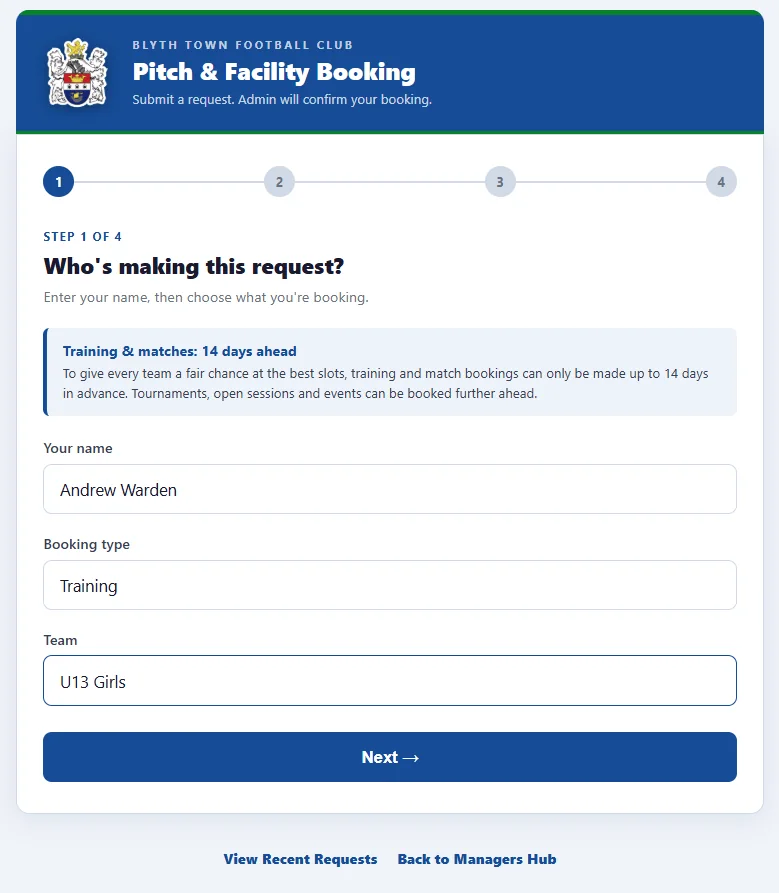
Who is making this request
1Your name, booking type & team
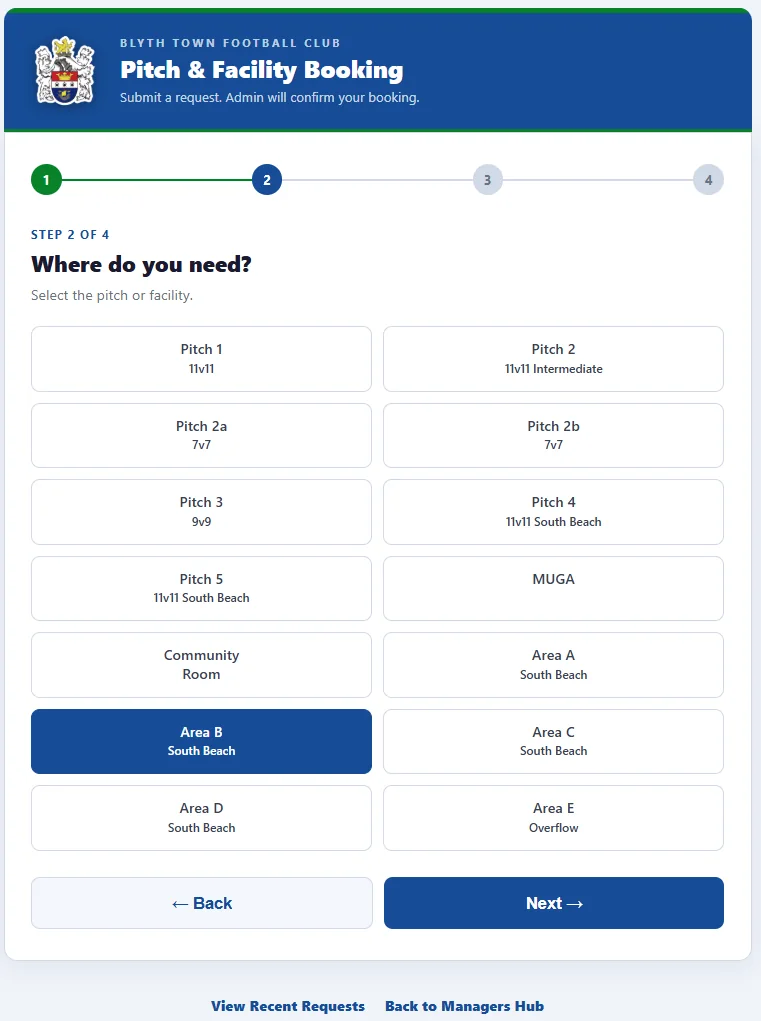
Choose the pitch or area
2Choose the pitch or area
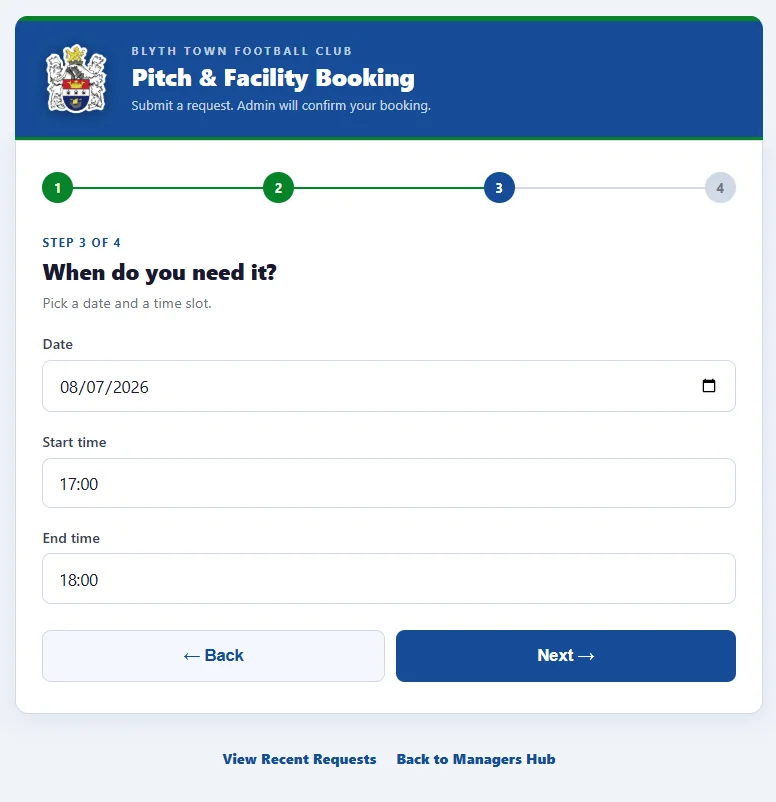
Pick a date and time slot
3Pick a date & time slot
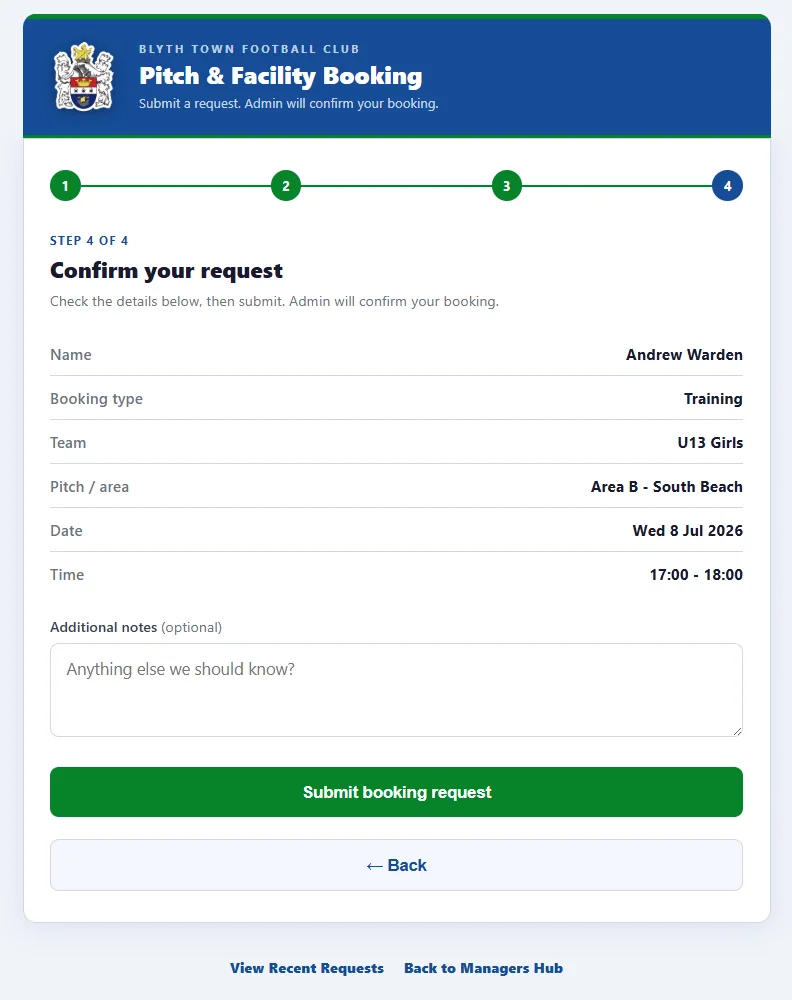
Confirm your request
4Check details & submit
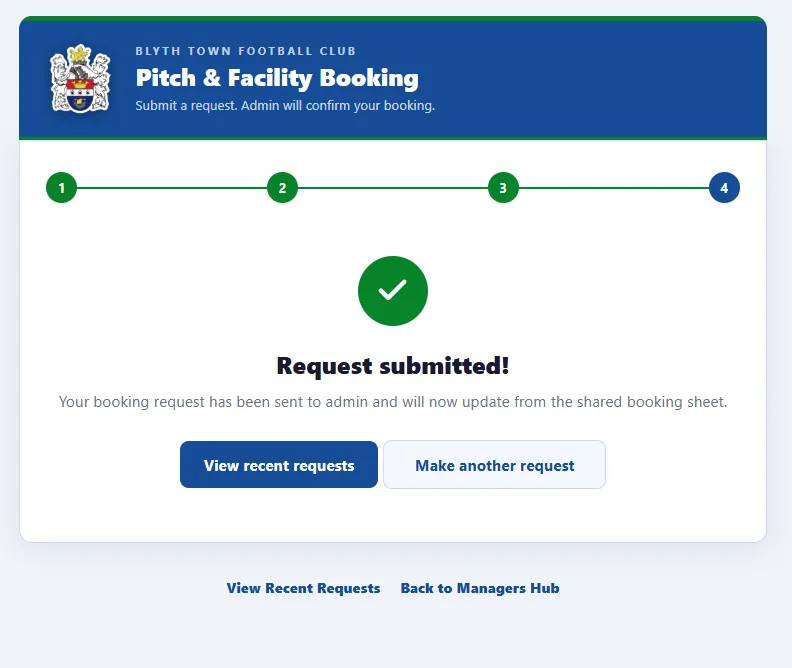
Request submitted screen
After you submit, use View recent requeststo follow pending, approved and rejected updates.
Note:Training & match bookings can only be made up to 14 days ahead, to keep the best slots fair for every team. All bookings are confirmed by the admin - use View recent requeststo check whether yours is pending, approved or rejected.
Viewing the Calendar
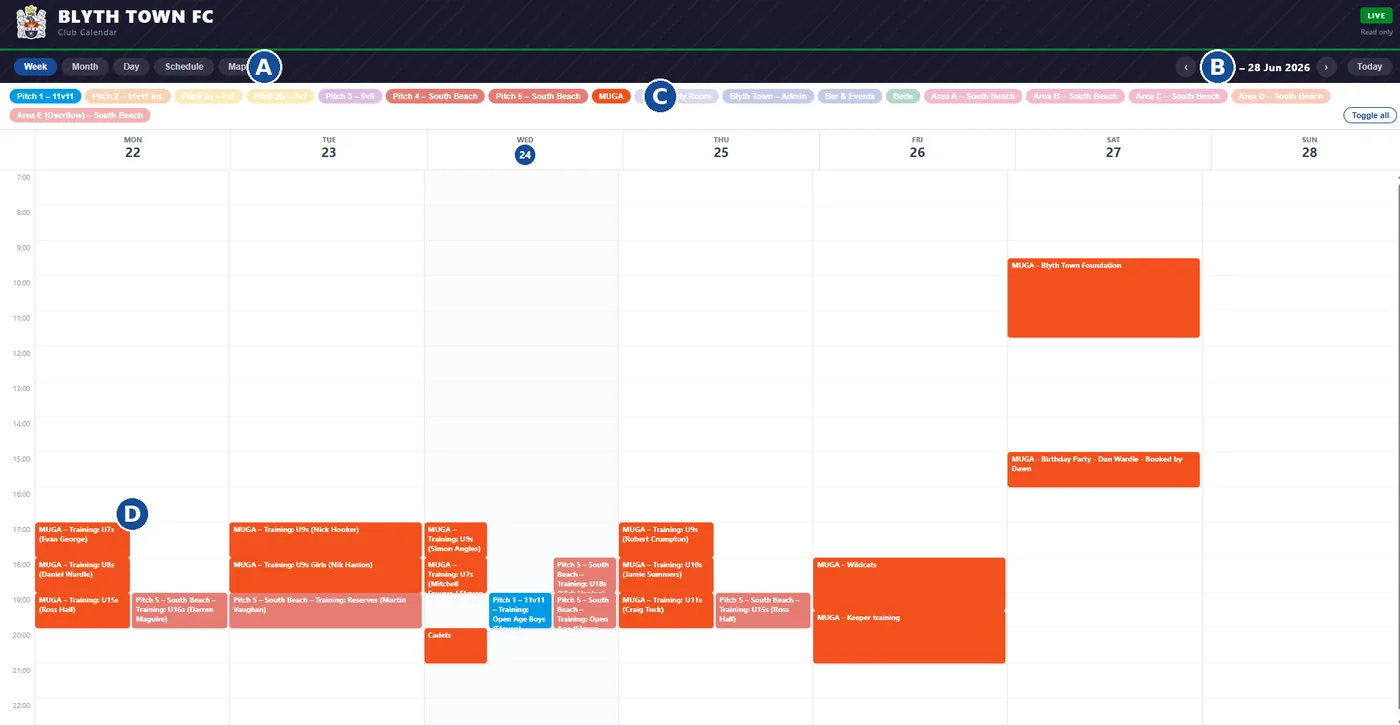
The club calendar shows confirmed bookings across all pitches and areas. Use View recent requeststo check the status of a request, then use the calendar to see confirmed live bookings. All times are shown in UK time.
A
View tabs- switch between Week, Month, Day, Schedule and Map
B
Navigation- use the arrows to move between weeks, or jump to Today
C
Calendar tags- tap any tag to show or hide that pitch or area
D
Bookings- tap any event to see full details. Colour shows the pitch or area
Add to Your Home Screen
iPhone (Safari)
1. Open the link in Safari
2. Tap the Sharebutton
3. Tap Add to Home Screen
4. Tap Add
Android (Chrome)
1. Open the link in Chrome
2. Tap the three dots
3. Tap Add to Home Screen
4. Tap Add
Bookings
Calendar
Add both links so they sit on your home screen like apps - look for these icons.